As of this writing (12/25), Roku is transitioning from its Photostreams app to its Backdrop app.
You can upload up to 1000 images from the BillionDollarArtGallery to Photostreams or Backdrops by following this procedure:
1. Sign into your Roku account here: my.roku.com
2. Choose Photostreams or Backdrops from the menu on the left.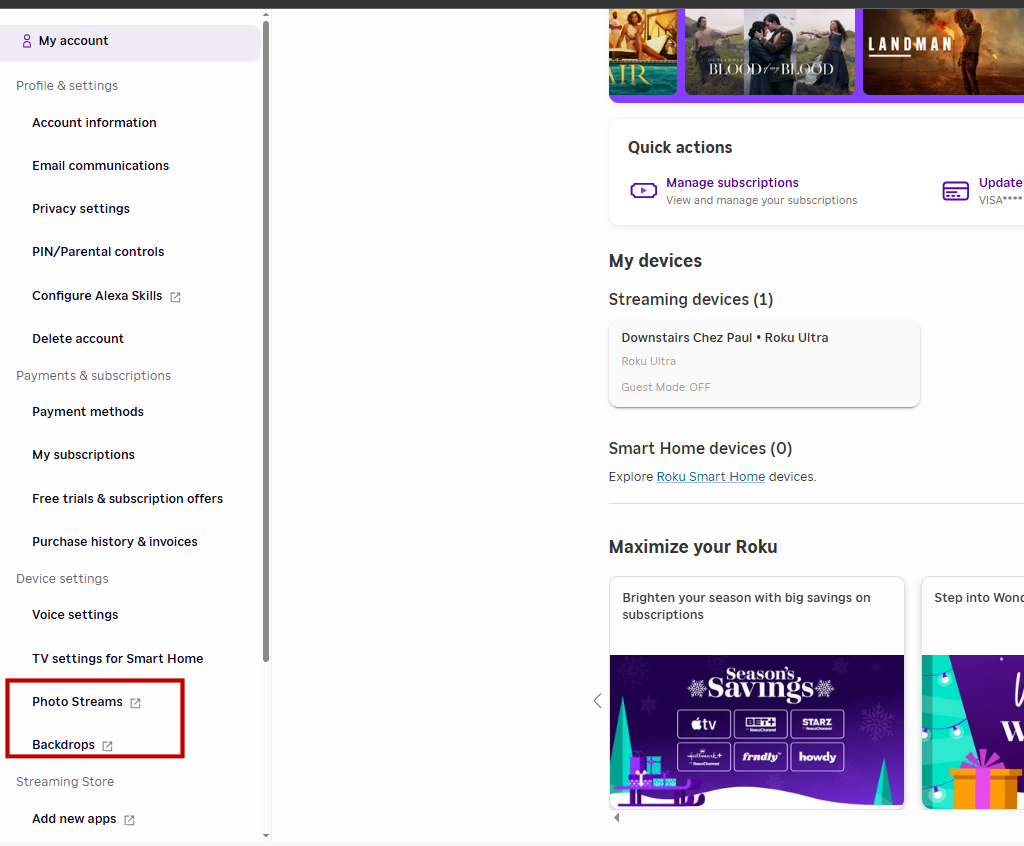
3. Put your BillionDollarArtGallery stick in your computer's USB port.
4. Choose the images that you want to upload to your Roku account. You can upload 20 at a time with a maximum of 1000 photos per stream. You can choose either files from \Cropped Paintings or \Uncropped Paintings on the BillionDollarArtGallery. Cropped paintings are cropped to fill a TV's UHD screen. Uncropped Paintings are the full painting, but they usually have black space on the sides or the top because Leonardo Da Vinci was not painting for the shape of a TV screen.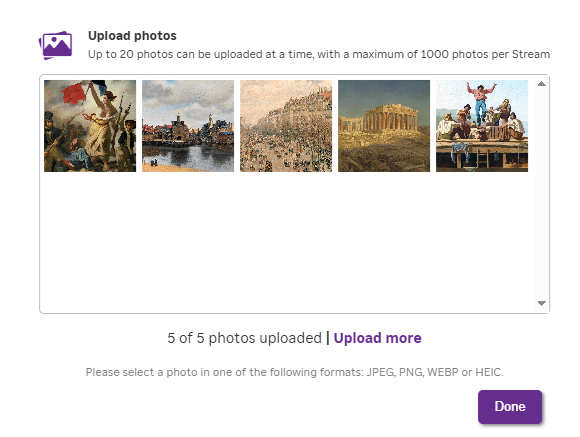
Was this article helpful?
That’s Great!
Thank you for your feedback
Sorry! We couldn't be helpful
Thank you for your feedback
Feedback sent
We appreciate your effort and will try to fix the article